Skip to content
Synapse Soft
Production planning for pharmaceutical plants

Plan sterile and solid production around your real constraints

Loom turns batch demand into a conflict-free plan across lines, equipment, shifts and staff. Edit it on a live Gantt, test what-if scenarios, and approve it with an e-signature.

loom-v3.3 · production-planner
Live Screen Recording

Loom constraint solver and interactive Gantt screen recording

Sterile and solid lines
Hold times and cleaning
Shifts and staffing
Audit trail and e-signature
Planning Bottleneck

Spreadsheets break when real plant rules arrive

Pharma manufacturing is governed by strict physical and regulatory constraints that static spreadsheets cannot reconcile at scale:

1

A product change needs cleaning time, and cleaning must fit the shift calendar.

2

A hold time says the product may wait 12 hours, not 13.

3

One breakdown moves ten other batches.

4

The plan needs 20 people on night shift and you have 12.

5

QA wants to know who changed the plan, when and why.

Engineered around plant reality

Constraint-driven modules that eliminate scheduling guesswork and deliver auditable confidence.

Dashboard & Plant KPIs

Monitor plant performance and schedule health at a glance

Track line utilisation, on-time delivery, OEE (availability × performance × quality), plan compliance and OTIF in real time. Spot shift staffing gaps, hold-time risks, and potential delays before they impact production.
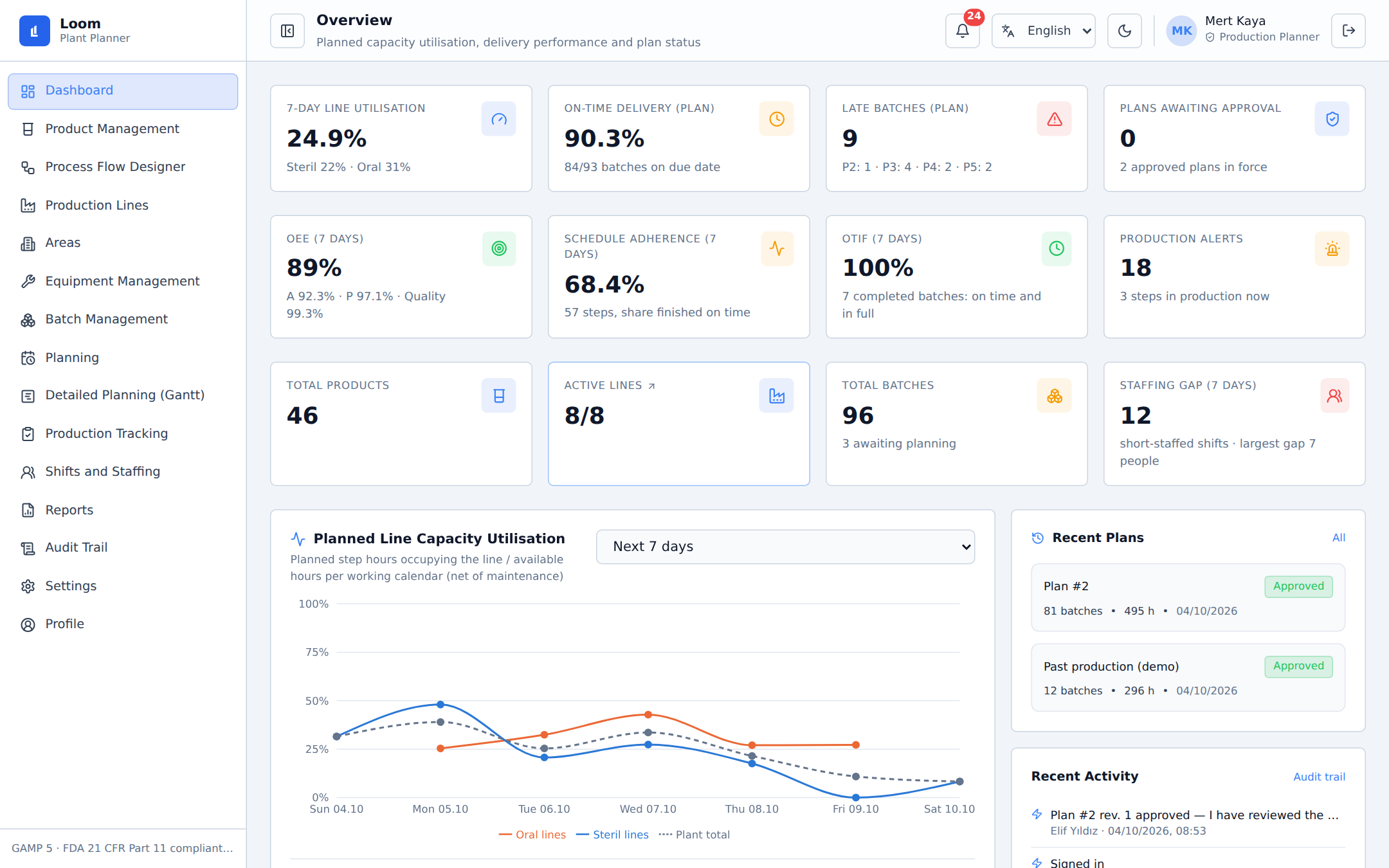
Plant overview dashboard showing line utilisation, OEE, on-time delivery and plan compliance (Light theme)
Interactive Gantt

A Gantt you can edit, with the consequences in view

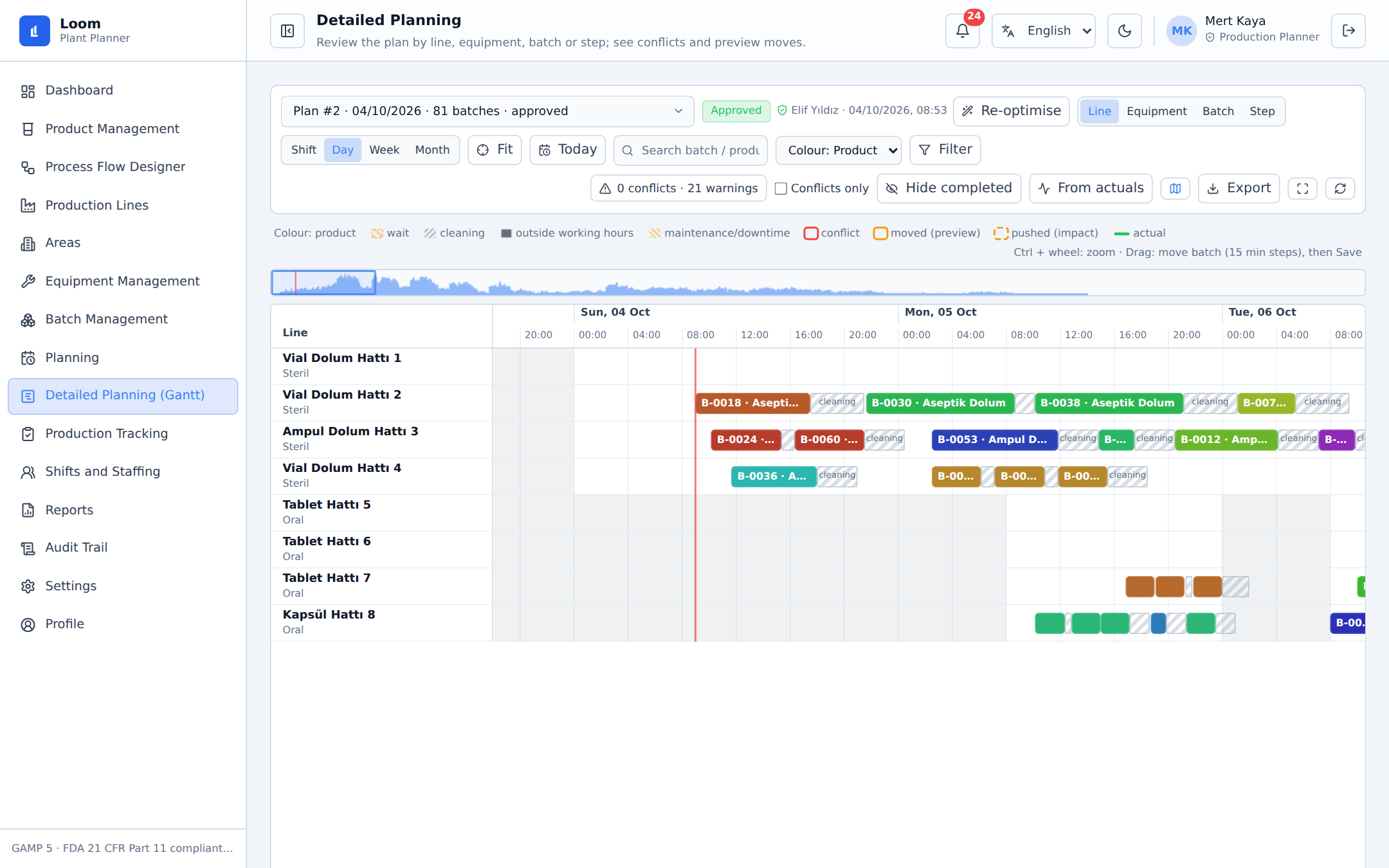
Drag a batch and see which steps get pushed and which conflicts appear before you save. Lock steps, undo, filter, and export to PNG, print or CSV.

Detailed planning Gantt chart on sterile and solid lines with cleaning blocks (Light theme)
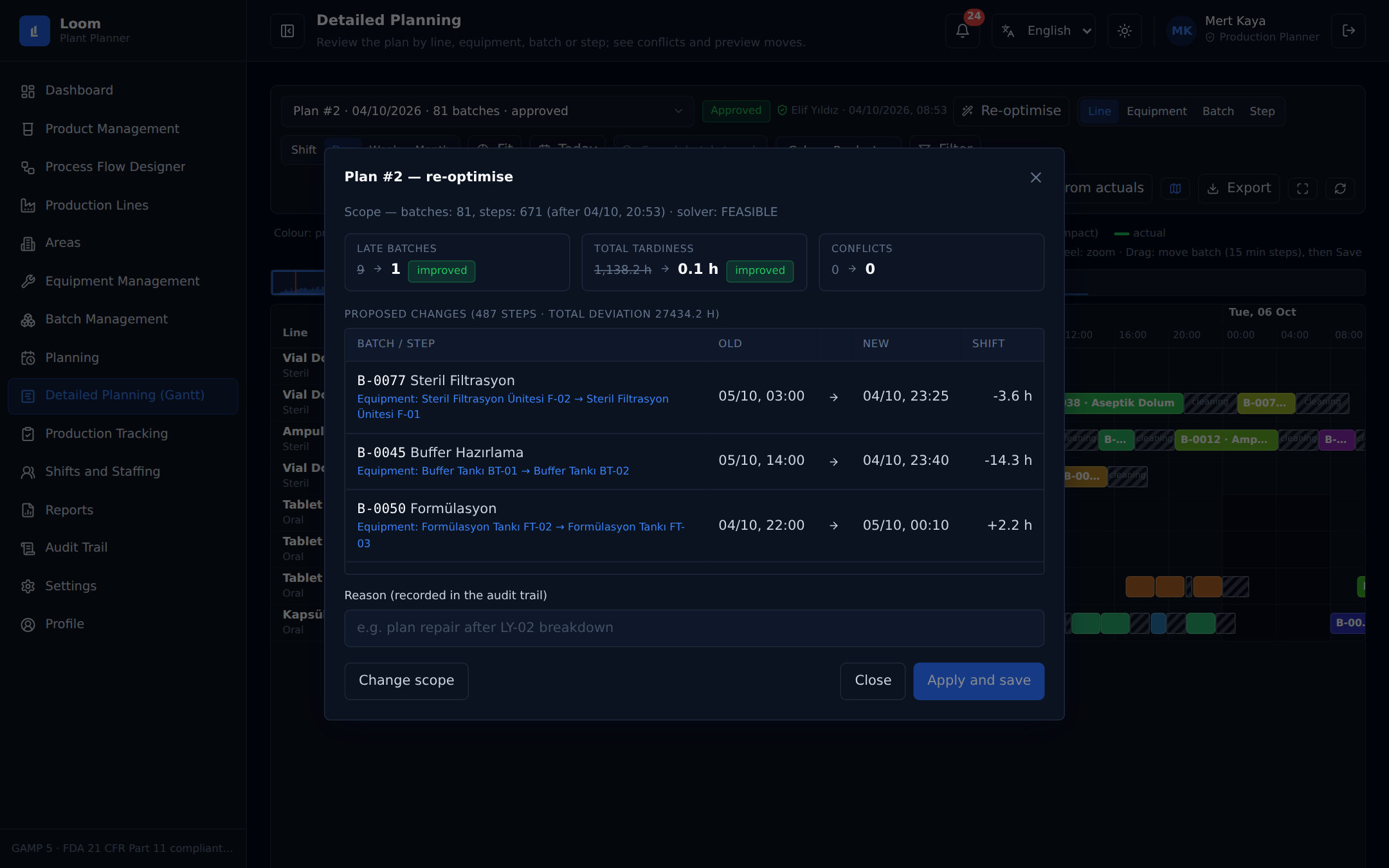
Partial re-optimization

Re-plan only what has not started

Choose a time, lines or a batch, set how stable the plan should stay, preview the change as before and after, then apply it with a reason that goes into the audit trail.

Re-optimise preview comparing late batches and tardiness before and after
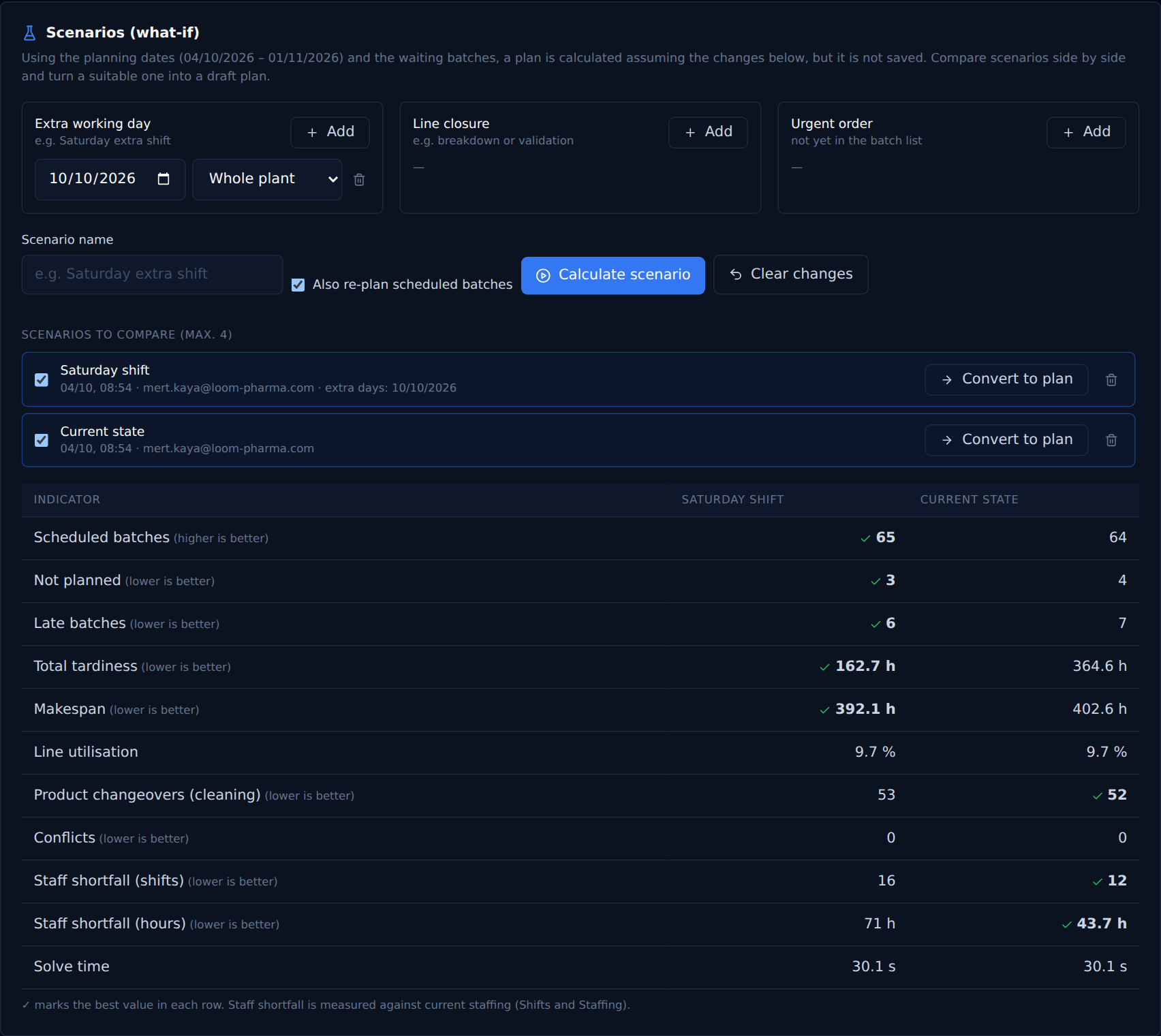
What-if scenarios

Ask what-if before you commit

Add a Saturday shift, close a line, drop in an urgent order. Compare up to four scenarios side by side and turn the best one into a draft plan.

Side by side comparison of two what-if scenarios
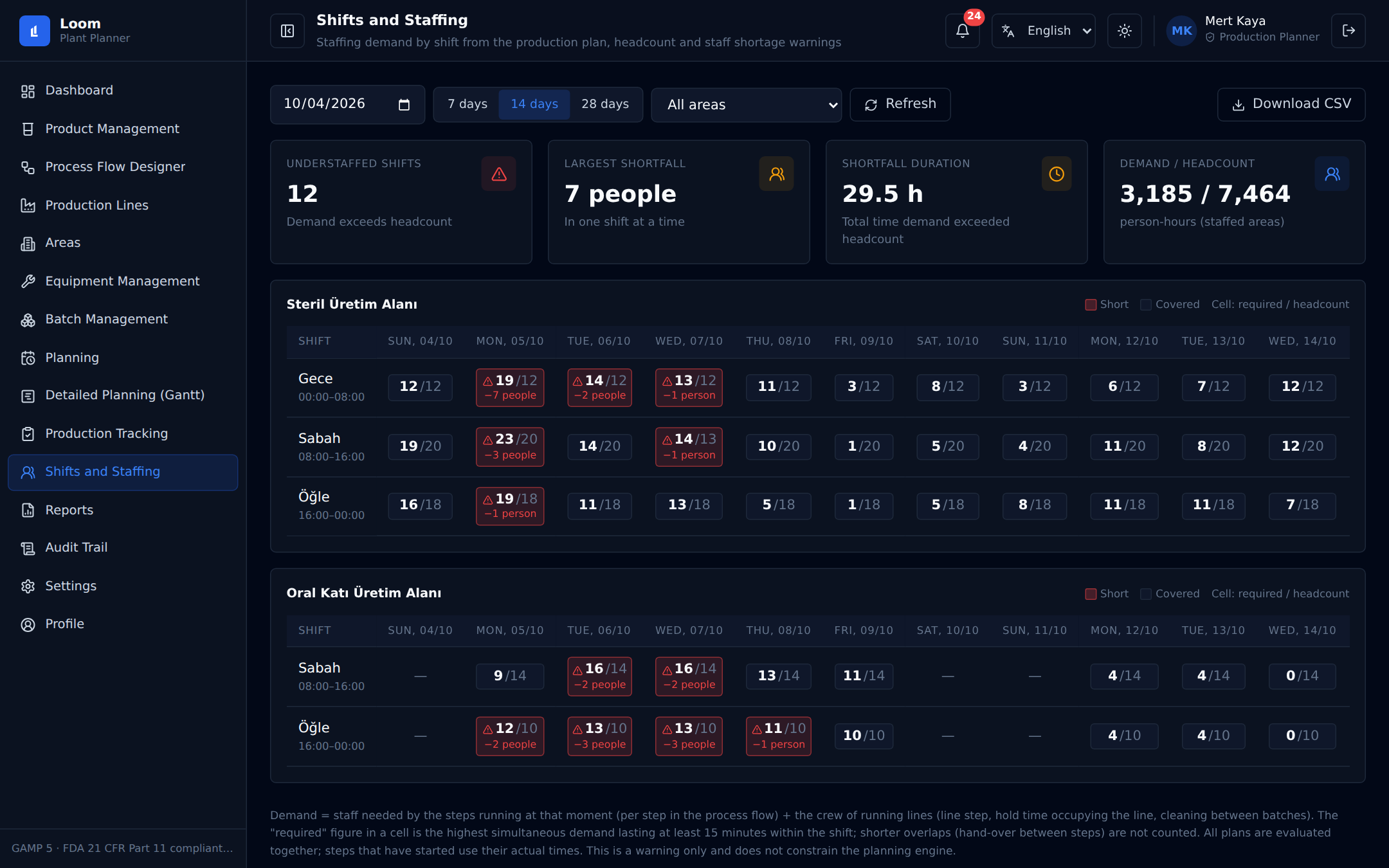
Shift staffing

See staffing gaps in the same plan

Loom turns the plan into people needed per shift and compares it with your headcount. Short shifts are flagged, with the largest gap and its duration.

Staffing grid with understaffed shifts highlighted by area and day
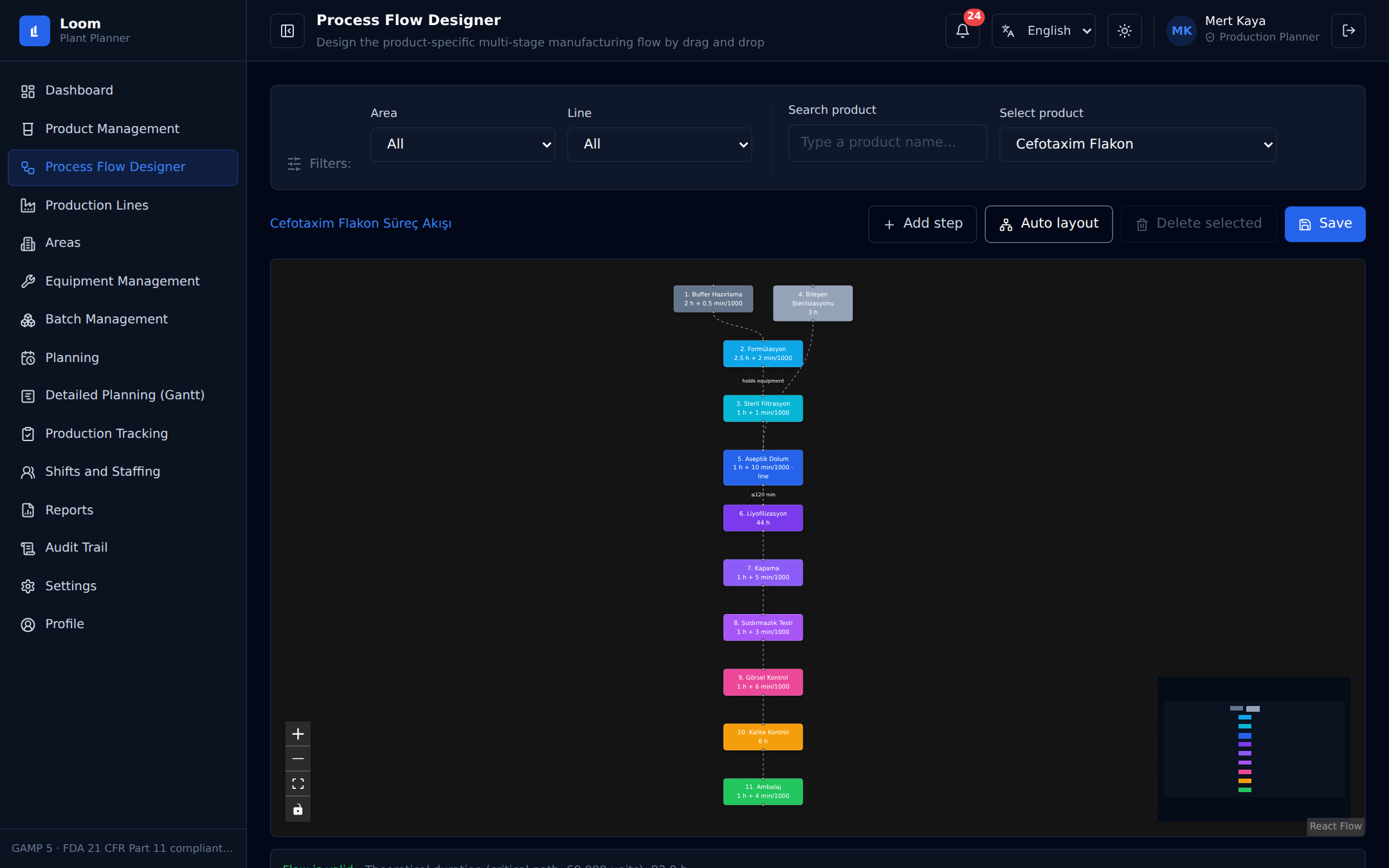
Flow designer

Design each product's process flow

Drag and drop steps, set minimum and maximum waits, hold-time rules and parallel branches. The flow is validated before you save it.

Process flow designer with a multi-step product flow
Audit trail & e-sign

Approve with an e-signature, keep the trail

Submit a plan for approval, sign with your password and a stated meaning, and keep every change with user, time and reason. Optional four-eyes rule.

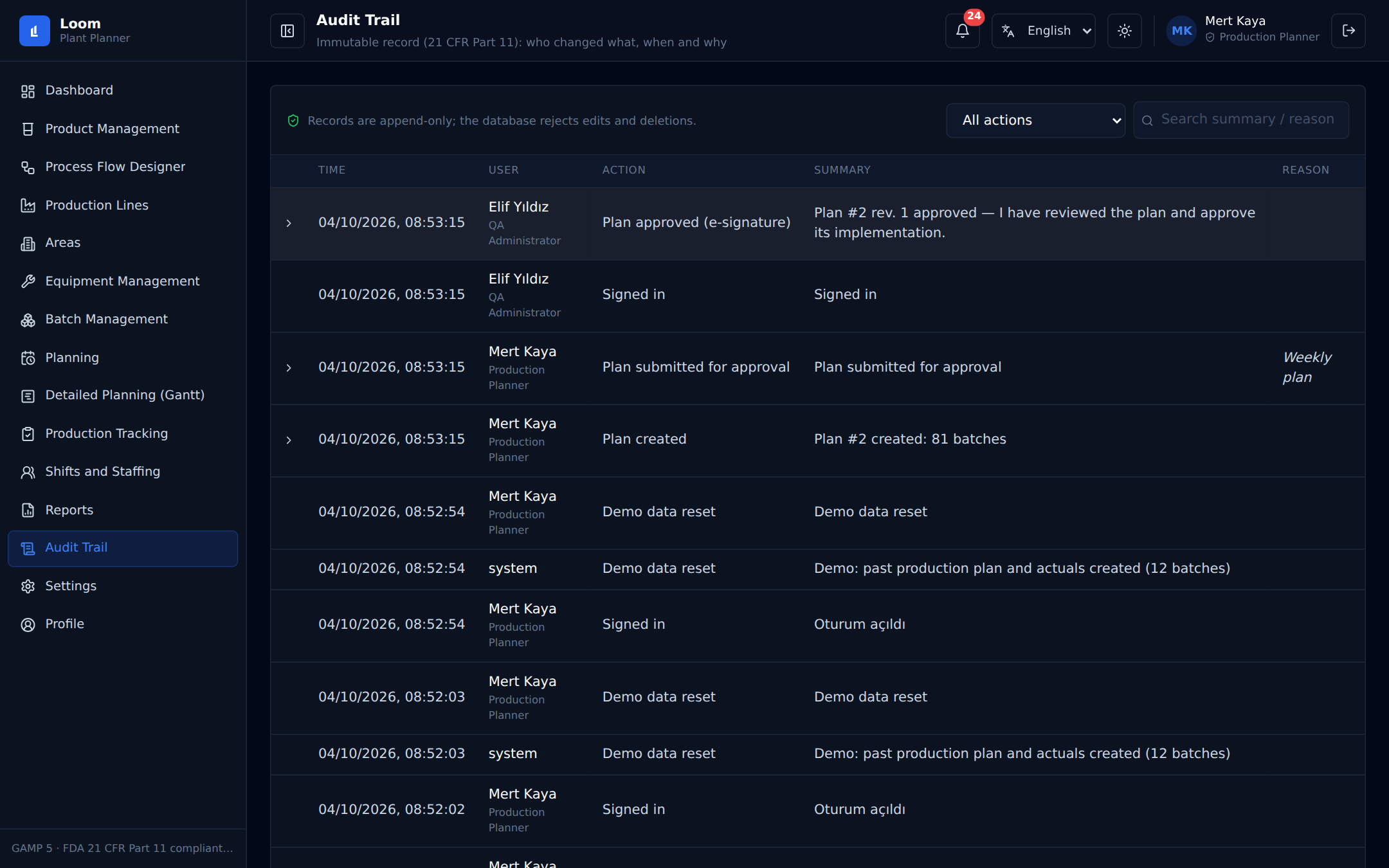
Audit trail listing changes by user, time and action
Execution tracking

Follow execution against the plan

Operators start, complete and hold steps. Loom flags steps that did not start, run late or risk a hold time, and re-plans the rest from actuals.

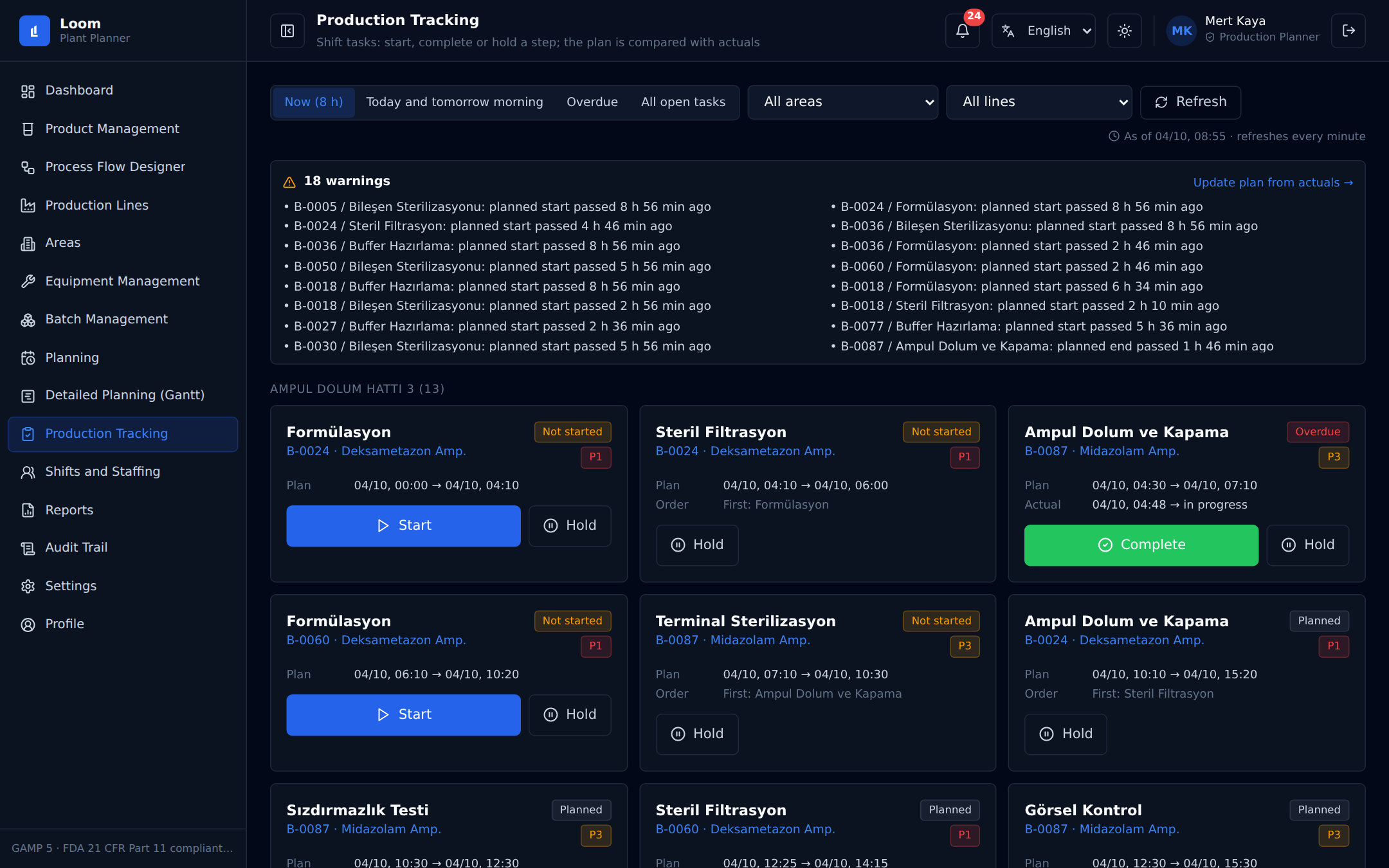
Production tracking list of steps to start, complete or hold

How it works

Three clear steps from your plant data to an approved, executable schedule.

01

Model your plant

Areas, lines, equipment, products, process flows and calendars. Import batches from CSV.

Verified Workflow
02

Run the plan

Pick dates and a solve time. Watch progress live and stop early if you like.

Verified Workflow
03

Review, approve, execute

Adjust on the Gantt, test scenarios, approve with an e-signature, then track execution.

Verified Workflow

Built with regulated plants in mind

Engineered around strict compliance standards without sacrificing planning responsiveness.

Audit trail of every change

Audit trail of every change with user, timestamp and recorded reason.

Electronic signatures

Electronic signatures with password re-entry and a recorded meaning, plus an optional four-eyes rule.

Role-based access

Role-based access for planners, QA reviewers and shopfloor operators.

21 CFR Part 11 principles

Designed around 21 CFR Part 11 principles (audit trail, electronic signatures, role-based access).

Complete operational capabilities

Constraint optimisation engine

Powered by OR-Tools CP-SAT to calculate line assignments, campaigns, hold times and maintenance schedules in seconds.

Notifications

Instant alerts for hold-time violations, delay risks, shift understaffing and approval requests.

CSV import and export

Batch orders, schedules and staffing grids exportable to CSV and print-ready formats.

English and Turkish interface

Fully localized interface with seamless instant language switching at any time.

Light and dark theme

High-contrast dark mode for control rooms and clean light mode for offices.

Cloud or on-premise deployment

Deploy as serverless cloud or on your own infrastructure with Docker behind your firewall.

Frequently asked questions

Practical answers about Loom's scope, solver behavior and deployment models.

Does Loom replace our ERP or MES?

No. Loom is the planning layer. Batches come in by CSV today. ERP integration is on the roadmap.

How long does a plan take?

You set the time limit (30 seconds by default) and can stop earlier. For best results, keep a single plan under about 150 batches.

Does it plan individual operators?

No. It works at headcount level per shift and warns when a shift is short.

Which languages are supported?

English and Turkish, switchable at any time.

Where does it run?

In the cloud or on your own servers with Docker.

Can we try it?

Yes, request a demo and we will run it on your own products and lines.

See your own plant in Loom.

Describe your lines, products and constraints. We will model your plant and show Loom in a 30-minute walkthrough.